

Choosing a thermal transfer printer brand is an important decision for any company that depends on accurate labeling, barcode tracking, product identification, inventory control, or logistics management. A printer is not just a piece of office equipment. In many warehouses, factories, distribution centers, laboratories, and retail operations, it becomes part of the daily production workflow. When the printer works well, labels are clear, barcodes scan quickly, shipments move smoothly, and workers spend less time correcting printing problems. When the printer performs poorly, the business may face unreadable barcodes, wasted labels, delayed orders, repeated maintenance, and unnecessary downtime.
Thermal transfer printing is especially useful when labels must remain readable for a long time or survive demanding environments. Unlike direct thermal printing, which creates images directly on heat-sensitive paper, thermal transfer printing uses heat to transfer ink from a ribbon onto the label material. This process can create durable labels for cartons, pallets, equipment, electronic components, medical samples, chemical containers, outdoor assets, and many other applications. However, the final print quality depends on several connected factors, including the printer brand, printhead condition, ribbon type, label material, print speed, resolution, software settings, and maintenance habits.
Many buyers compare printers mainly by price, but the brand behind the printer can strongly affect long-term value. A well-designed thermal transfer printer should offer stable print quality, reliable media feeding, strong mechanical construction, easy calibration, and consistent performance during repeated use. In industrial settings, the printer may operate for hours every day, so durability is very important. A cheaper printer may reduce the initial purchase cost, but it can become expensive if it causes frequent downtime, consumes ribbons inefficiently, damages labels, or requires hard-to-find replacement parts.
Brand choice also affects software compatibility and technical support. Some printer brands are easier to integrate with warehouse management systems, enterprise resource planning systems, label design software, and barcode automation workflows. Others may be better suited for simple desktop labeling. Before choosing a printer, buyers should consider where the printer will be used, who will operate it, what label sizes are needed, how many labels will be printed each day, and whether the printer must connect to a network or production system.
The best thermal transfer printer brand for one business may not be the best option for another. A small online store that prints shipping labels may need a compact desktop printer with simple operation and low maintenance. A manufacturing plant may need a heavy-duty industrial printer with metal construction, high ribbon capacity, fast print speed, and strong resistance to dust or heat. A healthcare supplier may need very precise printing for small labels, patient identification, laboratory samples, or product traceability. An electronics manufacturer may need high-resolution printing for tiny component labels and dense two-dimensional barcodes.
For this reason, buyers should begin by listing their actual label requirements. Important questions include: What label width and length will be used? Are the labels paper, polypropylene, polyester, vinyl, or another synthetic material? Will the labels be exposed to moisture, chemicals, abrasion, sunlight, or cold storage? How long must the printed information remain readable? Is the label used only for internal tracking, or does it need to meet customer, industry, or regulatory requirements? Clear answers to these questions make it easier to select a printer brand and model that fits the real job.
Print resolution is one of the most important factors in thermal transfer printing. Standard 203 dpi printers are often suitable for shipping labels, carton labels, and larger barcode labels. A 300 dpi printer provides sharper text and better barcode detail, making it useful for product labels, asset labels, and smaller designs. A 600 dpi printer may be needed when labels contain very small text, fine graphics, dense barcodes, or compact electronic component information. Choosing the correct resolution helps prevent scanning errors and improves the professional appearance of printed labels.
Barcode quality should never be ignored. A label that looks acceptable to the human eye may still scan poorly if the edges are rough, the contrast is weak, or the barcode dimensions are inaccurate. A reliable printer brand should provide consistent heat control, smooth ribbon transfer, and stable media movement. These features help produce clean bars, sharp spaces, and readable symbols. For businesses that ship to large retailers or regulated industries, barcode readability can directly affect acceptance, compliance, and customer satisfaction.
A thermal transfer printer cannot deliver good results without the correct ribbon and label combination. Wax ribbons are commonly used for general paper labels and offer an economical solution for cartons, warehouse labels, and short-term applications. Wax-resin ribbons provide stronger resistance to smudging and abrasion, making them suitable for coated papers and some synthetic labels. Resin ribbons are usually selected for demanding applications that require strong resistance to chemicals, heat, moisture, or outdoor exposure.
When comparing printer brands, buyers should check whether the printer supports the ribbon widths, roll sizes, core sizes, and media types needed for their operation. Industrial users may prefer printers with larger ribbon capacity because it reduces the need for frequent roll changes. Businesses that print many label sizes may need easy media adjustment and reliable sensor performance. Good compatibility reduces waste and makes daily operation easier for employees.
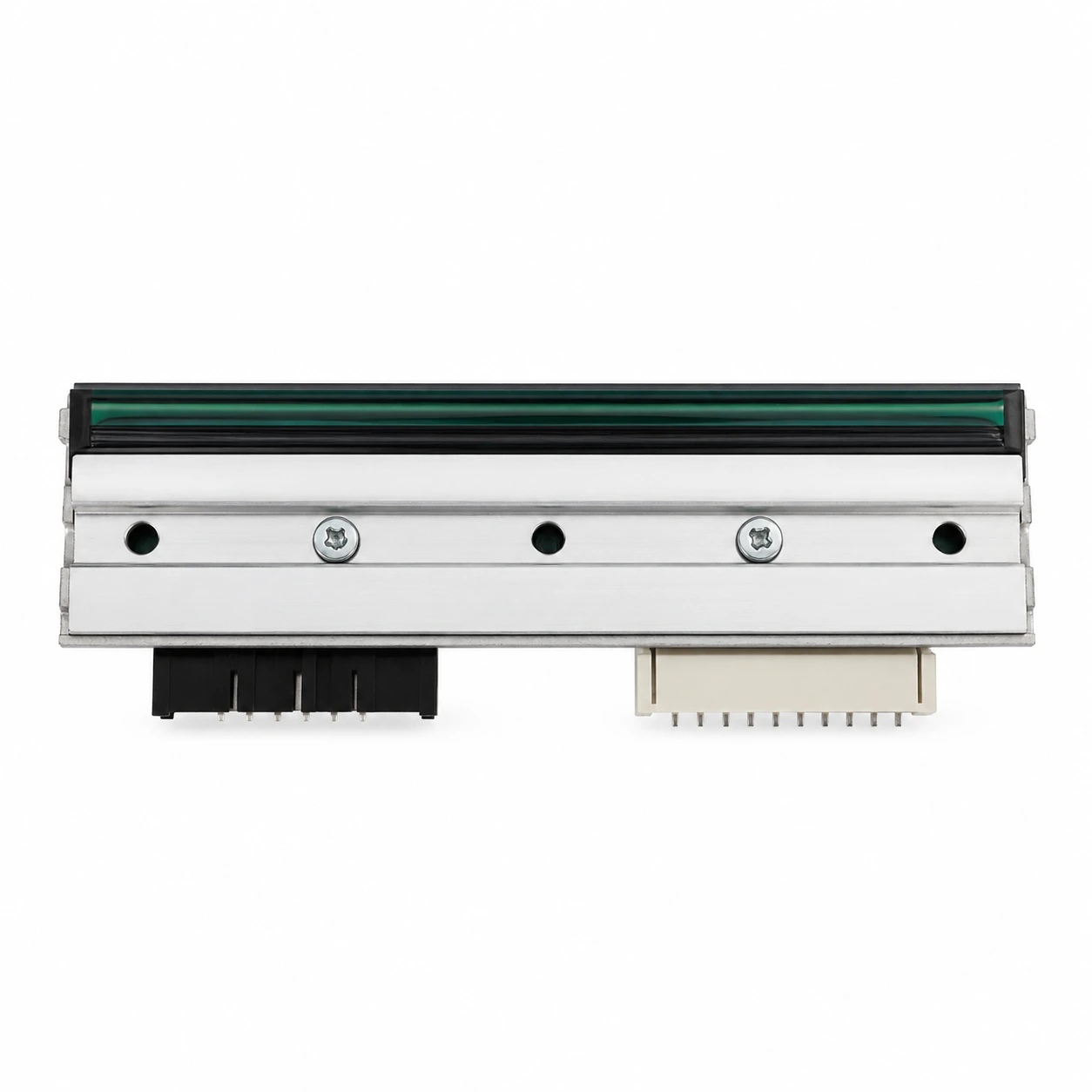
The printhead is one of the most important and sensitive parts of a thermal transfer printer. It applies heat to the ribbon, creating the printed image on the label. Over time, printheads can wear out because of dust, adhesive buildup, abrasive label materials, excessive heat, or incorrect pressure settings. A damaged printhead may create missing lines, faded sections, poor barcode edges, or inconsistent print density. Regular cleaning and correct printer settings can help extend printhead life.
Before choosing a printer brand, businesses should consider the availability and cost of replacement printheads, platen rollers, sensors, cutters, and other parts. A printer with excellent specifications may still be inconvenient if parts are difficult to source. Working with suppliers that understand printer maintenance and replacement components can reduce downtime and help users keep their labeling systems in good condition. For more information on brand comparison and printer selection, this guide to thermal transfer printer brands provides a useful overview for businesses evaluating different options.
Modern labeling workflows often require more than manual printing from a single computer. Many businesses need printers connected through USB, Ethernet, Wi-Fi, Bluetooth, or serial interfaces. Some operations require multiple printers placed across production lines, packing stations, or warehouse zones. In these situations, remote management, driver stability, printer language support, and label software compatibility become very important.
A printer that integrates smoothly with existing systems can save time and reduce human error. For example, a warehouse employee may scan an order number, and the system automatically prints the correct shipping label. A production line may print batch labels, product codes, and traceability information directly from a database. A well-supported printer brand makes these workflows easier to build and maintain.
The lowest purchase price does not always mean the lowest total cost. Buyers should evaluate the full cost of ownership, including ribbons, labels, printheads, rollers, repairs, downtime, training, and support. A more durable printer may cost more at the beginning but save money over time by reducing failures and improving efficiency. Likewise, a printer that uses ribbon efficiently can lower consumable costs over thousands of labels.
Companies should also think about operator convenience. Easy loading, simple calibration, clear controls, and accessible maintenance points can reduce mistakes and shorten training time. When workers can change labels and ribbons quickly, production interruptions become less frequent. These small improvements can make a big difference in busy environments.
Selecting the right thermal transfer printer brand requires a careful balance of performance, durability, compatibility, and long-term support. Businesses should not choose based only on price or popularity. Instead, they should match the printer to the real application, label material, ribbon type, printing volume, barcode requirements, and operating environment.
A suitable printer brand can improve label quality, reduce operational problems, and support accurate tracking across the supply chain. Whether the business prints shipping labels, product labels, asset tags, compliance labels, or industrial identification labels, the goal is the same: clear, durable, and reliable printing. By comparing printer brands carefully and considering the complete labeling workflow, companies can make a better investment and build a more dependable printing system for daily operations.
Submit guest articles that reach decision-makers, influencers, and professionals. Yarabook offers a trusted platform for quality content, strong backlinks, and SEO-driven visibility. Pay. Publish. Promote.