

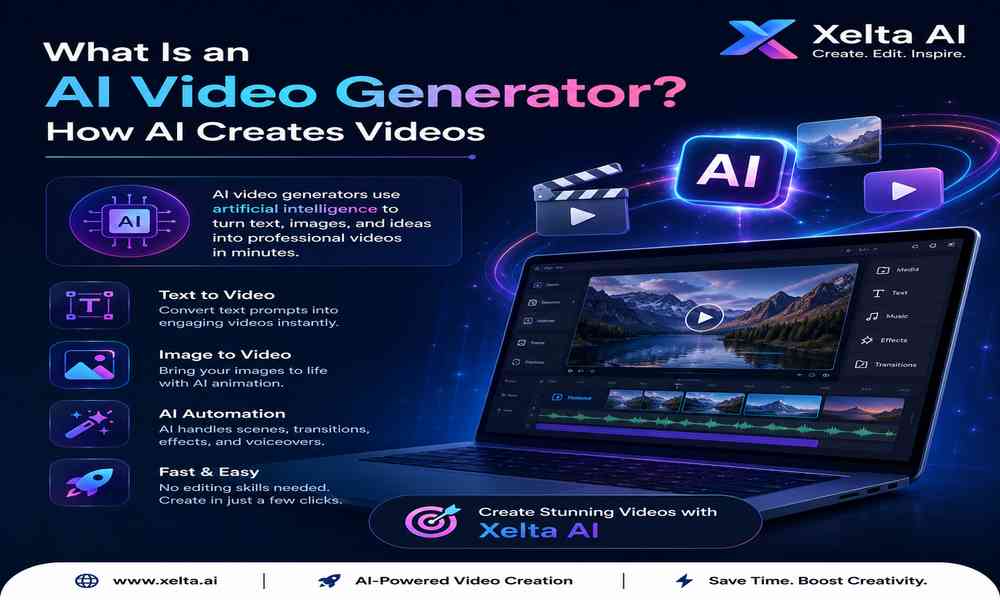
The AI video market has changed rapidly. What started as simple text-to-video experimentation has evolved into a broader creative workflow involving text-to-video, image-to-video, AI avatars, voice generation, lip sync, editing, motion control and social-media content creation.
As more AI video generators enter the market, choosing the right platform is becoming harder. A tool may produce impressive cinematic clips but lack editing features. Another may be excellent for social media but provide limited creative control. Some platforms focus on a particular AI model, while others bring multiple models and workflows together.
So, what is the best AI video generator in 2026?
There is no single answer for everyone. The right platform depends on your content goals, workflow, budget, required quality, level of control and the type of videos you want to create.
This guide explains what to look for in an AI video generator, compares the major capabilities, explores real-world use cases and explains where Xelta fits into the modern AI video creation ecosystem.
A high-quality AI video generator should do more than turn a sentence into a short clip.
For professional use, the platform should help users move through multiple stages of production:
Idea → Prompt → Generation → Refinement → Editing → Final Video
This means generation quality is only one factor.
The best AI video generator for a filmmaker may not be the best option for a real-estate marketer. Similarly, a social-media creator may value speed and templates more than advanced cinematic controls.
When comparing AI video platforms in 2026, consider:
Additional factors such as model selection, editing, pricing, commercial rights and export options can become equally important for professional users.
Not every feature deserves equal importance. The right features depend on how you intend to use the platform.
Text-to-video remains one of the most important AI video capabilities.
Users describe a scene using natural language, and the AI attempts to generate a corresponding video.
For example:
Prompt:
“Create a cinematic drone-style shot of a modern luxury villa surrounded by greenery during golden hour, realistic architecture, warm sunlight and slow camera movement.”
This can be useful for creating concepts without filming the physical location.
However, the quality of the result depends on the model’s ability to understand the prompt, maintain visual consistency and generate believable movement.
Image-to-video is especially useful for marketers and creators who already have a visual asset.
A workflow might look like:
Product Image → AI Motion → Short Promotional Video
This can transform static:
into dynamic visual content.
One of the most important developments in AI video creation is the availability of multiple models.
Different models can have different strengths for:
A platform that gives users access to multiple models can therefore provide more flexibility than a tool built around a single generation engine.
Generation is not the end of production.
Creators often need to:
This is why an integrated AI video workflow can be more practical than using a separate generator and editor.
Modern video production increasingly combines visual generation with audio AI.
Useful capabilities include:
These features can be valuable for brands producing content for multiple markets.
AI can reduce the time between an initial idea and a visual prototype.
Instead of organizing a complete shoot simply to test a concept, marketers can first create AI-generated variations.
This makes creative experimentation faster.
Traditional video production often requires:
AI video generation can reduce the equipment and production requirements for many types of digital content.
This does not eliminate the need for creative skills, but it can make video production more accessible.
Imagine a marketing team has ten campaign concepts.
Producing ten traditional videos may be impractical.
AI can help create early visual prototypes so the team can decide which concepts are worth developing further.
Businesses increasingly need a continuous stream of short-form content.
AI can help marketers experiment with:
This can make AI particularly useful for social-media teams.
Instagram Reels, YouTube Shorts and other short-form formats require frequent content.
AI can assist with:
For social-media teams, speed and iteration can be as important as cinematic quality.
AI video generators can be used to prototype advertising concepts before investing in larger production.
For example:
Product → 5 Creative Concepts → Generate Variations → Select Best Concept → Edit Final Advertisement
This workflow can help marketers test ideas more efficiently.
Real-estate companies can use AI video tools to create:
A static property photograph can also become the starting point for a dynamic promotional concept.
Online sellers can create promotional content around products without producing a separate physical video shoot for every variation.
Potential applications include:
Educators and course creators can use AI video workflows for:
Visual storytelling can make complex concepts easier to communicate.
Filmmakers can use AI video generation during pre-production to visualize:
This makes AI valuable even when the final film is produced traditionally.
Submit guest articles that reach decision-makers, influencers, and professionals. Yarabook offers a trusted platform for quality content, strong backlinks, and SEO-driven visibility. Pay. Publish. Promote.