
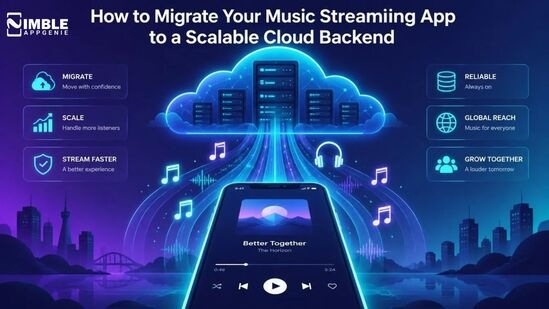
Key Takeaways
-
Cloud migration reduces latency, downtime, and infrastructure costs.
-
Microservices, CDNs, and managed databases are the foundation of scale.
-
Phased migration is safer than a single cutover.
-
US apps must plan for CCPA, DMCA, and licensing requirements.
-
Continuous monitoring keeps performance and costs under control.
-
Partnering with Nimble AppGenie helps ensure a smooth, low-risk migration.
Streaming apps live or die by performance. When your user base grows, on-premise servers struggle with buffering, downtime, and rising costs. Moving to a scalable cloud backend solves these problems by letting your infrastructure expand with demand. This guide explains what migration involves, how to plan it, and how to avoid common mistakes, so your US audience enjoys uninterrupted listening from the first track to the millionth stream.
Why Should You Move a Music Streaming App to the Cloud?
On-premise servers have fixed capacity. A viral playlist or major album drop can spike traffic within minutes, causing buffering, crashes, and lost subscribers.
Cloud platforms such as AWS, Google Cloud, and Microsoft Azure scale resources automatically. Businesses seeking Top Music Streaming App Development often turn to Nimble AppGenie for cloud transitions that don’t disrupt listeners.
Key benefits include:
- Auto-scaling during peak demand
- Lower latency through global CDNs
- Pay-as-you-go pricing
- Built-in security and backups
What Does a Scalable Cloud Backend Architecture Include?
A scalable cloud backend combines microservices, object storage, a CDN, managed databases, adaptive streaming, and caching to handle growth smoothly.
1. Core Components
- Microservices: Separate authentication, playback, search, and payments so each scales independently.
- Object storage and CDN: Store audio files centrally and deliver them from servers closest to listeners.
- Managed databases: Handle user profiles, playlists, and listening history reliably.
- Adaptive streaming: Protocols like HLS adjust audio quality to each user’s connection.
- Caching: Tools like Redis speed up frequent requests such as popular playlists.
2. Choosing a Cloud Provider
Select US-based regions near your largest audience to minimize latency. Compare pricing, compliance certifications, and native media services before committing.
How Do You Migrate a Music Streaming App Step by Step?
Migrate in five stages: audit your infrastructure, pick a strategy, move data, test thoroughly, then cut over gradually with monitoring.
Step 1: Audit Your Current Infrastructure
Map every service, database, dependency, and traffic pattern. This reveals what to move first and what to rebuild.
Step 2: Choose a Migration Strategy
Decide between rehosting (lift and shift), replatforming (minor optimization), or refactoring (full redesign). Most streaming apps benefit from a mix.
Step 3: Migrate Data and Media Files
Transfer user data and audio libraries in batches. Run old and new systems in parallel to prevent data loss.
Step 4: Test Performance and Security
Simulate peak loads and verify playback quality across devices. Professional music app development services typically include load testing, security reviews, and rollback planning at this stage.
Step 5: Cut Over and Monitor
Shift traffic gradually, starting with a small user segment. Track latency, error rates, and costs in real time.
What Challenges Should You Expect During Migration?
Even well-planned projects face obstacles:
- Downtime risk: Mitigate with phased rollouts.
- Licensing and compliance: Follow DMCA rules, music licensing agreements, and CCPA privacy requirements.
- Cost overruns: Set budgets and alerts early.
- Skill gaps: Cloud-native design requires specialized Music Streaming App Development expertise.
Successful Music App Development depends on treating migration as an ongoing optimization effort, not a one-time project.
How Do You Choose the Right Migration Partner?
A reliable Music Streaming App Development Company should demonstrate:
- Proven cloud migration experience
- Knowledge of audio streaming protocols and DRM
- Strong security and US compliance practices
- Post-launch support and monitoring
Conclusion
Migrating to a scalable cloud backend is one of the smartest investments for a growing streaming platform. With careful planning, phased execution, and constant monitoring, you can deliver faster, more reliable playback to listeners across the USA. If you need expert guidance, Nimble AppGenie can help you design, migrate, and optimize your cloud infrastructure so your app is ready for whatever growth comes next.
Top 5 FAQs
1. How long does it take to migrate a music streaming app to the cloud?
Answer: Most projects take 3 to 9 months, depending on app complexity, data volume, and the chosen migration strategy.
2. Which cloud platform is best for music streaming?
Answer: AWS, Google Cloud, and Azure all work well. The best choice depends on your budget, team expertise, and required media services.
3. Will users experience downtime during migration?
Answer: Not necessarily. Phased rollouts and parallel systems can keep downtime minimal or eliminate it.
4. How does cloud migration improve streaming quality?
Answer: CDNs and auto-scaling reduce buffering and latency, even during traffic spikes.
5. Should I hire a partner for migration?
Answer: For complex apps, yes. An experienced Music App Development Company reduces risk, speeds delivery, and ensures compliance.

Leave a Reply
You must be logged in to post a comment.