

Short-form video has become the default way brands, teachers and independent creators explain ideas, yet producing even a thirty-second clip still eats hours of shooting, editing and re-rendering. Seedance 2.5 approaches the problem differently. It is a free Seedance 2.5 AI video generator: one continuous 4–30s clip at 480p, 720p or 1080p, up to 50 references, local edits without regenerating. There is a free trial, so you can test the workflow in your browser before deciding whether it belongs in your toolkit. This article walks through what the tool does, how the main features work in practice, and which kinds of projects benefit most.
Most AI video tools generate a few seconds at a time. To build a longer piece you stitch several short generations together, and every seam is a chance for something to drift: a jacket changes colour, a face looks slightly different, the light jumps from warm to cool, or the camera suddenly moves in a new direction. Viewers notice these breaks even when they cannot name them, and the result feels less trustworthy.
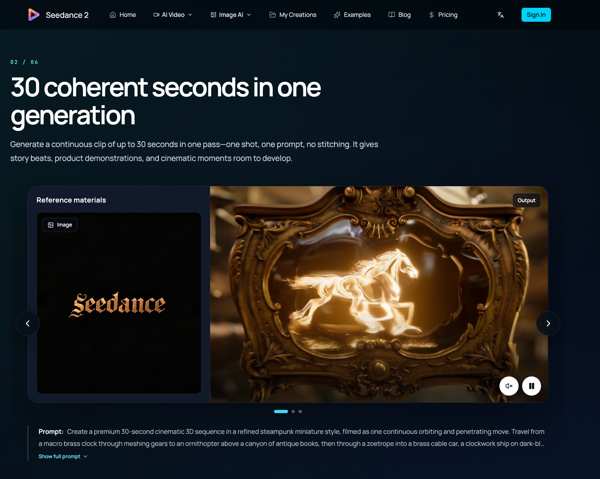
Seedance 2.5 renders one continuous clip of anywhere from 4 to 30 seconds in a single pass. Because the whole shot is produced together, characters, props, lighting and camera movement stay consistent from the first frame to the last. For a product demo, a short advertisement or a social post, that continuity is often the difference between something that looks like a rough experiment and something you are comfortable publishing.
Output is available at 480p, 720p or 1080p. In practice, 480p is useful for fast drafts when you are still exploring an idea, 720p works well for quick social uploads and internal reviews, and 1080p is the choice for final deliverables that will sit on a website, a landing page or a presentation screen.
The generator also supports six aspect ratios. That covers vertical formats for phone-first platforms, square framing for feeds, and widescreen layouts for websites and video players. Choosing the frame before you generate means you do not have to crop afterwards and lose important parts of the composition.
A text prompt alone can only describe so much. Seedance 2.5 accepts up to 50 references across text, images, audio, video and 3D. You might combine a product photo, a brand colour sheet, a short reference clip that shows the camera movement you want, and an audio track that sets the pacing. The model uses these inputs together, so the finished clip reflects your actual assets instead of a generic interpretation of a sentence.
This is especially helpful for teams that need visual consistency across a campaign. If every clip starts from the same set of reference images, the outputs share a recognisable look even when the scenes are different.
Timing is where many generated videos fall apart. Seedance 2.5 offers second-by-second control, so you can describe what should happen at each moment of the timeline: the product enters at second two, the camera pushes in at second eight, the logo appears near the end. Planning a clip this way feels closer to writing a storyboard than to rolling dice, and it makes the results far easier to repeat.
Perhaps the most practical feature is local editing. When a clip is almost right but one detail is wrong, such as a hand position, a background sign or the colour of an object, you can change just that area or that moment. The rest of the video stays exactly as it was. Without this, a small mistake would mean regenerating the entire clip and hoping the parts you liked come back the same way. Local edits save time and protect the work you already approved.
Start with a clear goal for the clip, for example a fifteen-second vertical teaser for a new product. Gather a few reference images and, if you have one, a short clip that shows the motion style you like. Write a prompt that describes the scene, then use second-by-second notes to place the key moments. Generate a 480p draft first to check timing and composition. When the structure works, render at 1080p, and use local edits to clean up any small details before exporting.
Marketers can produce ad variations and product teasers without booking a shoot. Small studios can use it for pre-visualisation, showing clients a moving draft before committing to production. Teachers and trainers can create short explainer scenes that hold attention better than static slides. Independent creators can test visual ideas quickly and keep a consistent style across a series of posts.
Seedance 2.5 focuses on the parts of AI video that usually cause the most frustration: broken continuity, unpredictable timing and the need to start over for every small fix. A single continuous pass, generous reference support, precise timing and local edits address those issues directly. If short video is part of your work, the free trial is an easy way to see how it fits.
Try it here: https://seedance2video.io/seedance-2-5
Submit guest articles that reach decision-makers, influencers, and professionals. Yarabook offers a trusted platform for quality content, strong backlinks, and SEO-driven visibility. Pay. Publish. Promote.