
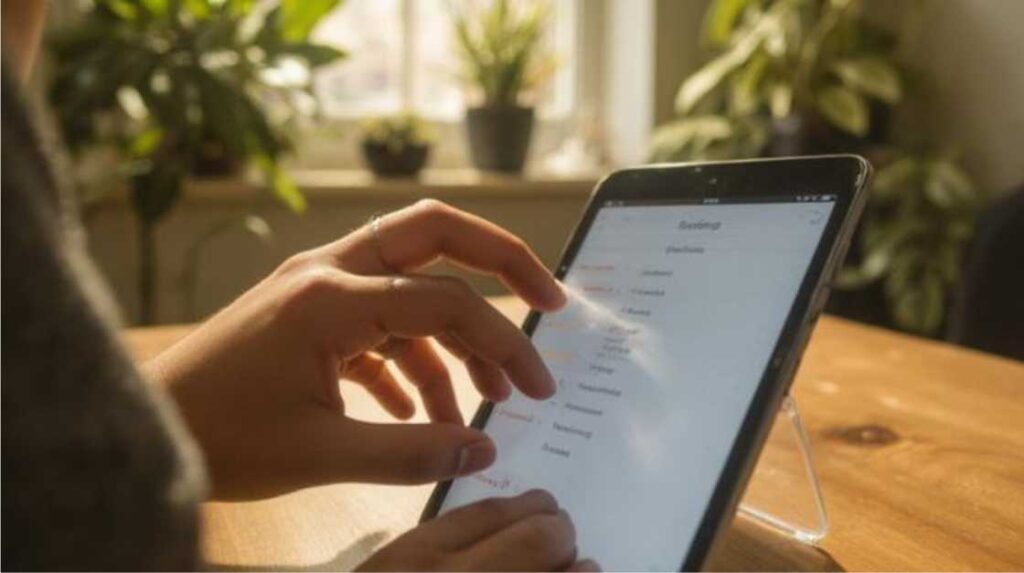
Imagine an IT team responsible for managing 200 smartphones and tablets spread across different offices, warehouses, and retail locations. Every day, employees report problems such as missing applications, incorrect device settings, connectivity issues, or devices that aren’t following company policies.
Now imagine the IT team having to visit each location to fix these problems.
It would take considerable time, increase support costs, and delay everyday business operations.
This is where remote mobile device management becomes useful. Instead of handling every device-related issue manually, IT administrators can manage supported mobile devices through a centralized platform. They can configure settings, deploy applications, enforce security policies, and troubleshoot certain problems remotely.
For businesses managing large numbers of Android smartphones and tablets, remote device management can reduce repetitive support tasks and help IT teams focus on more important responsibilities.
Why Is Mobile Device Support Becoming More Challenging?
Mobile devices have become essential business tools. Employees use them for communication, inventory management, payment processing, customer service, logistics, and field operations.
However, managing these devices creates several challenges for IT departments.
- Multiple locations: Devices may be distributed across offices, stores, warehouses, and remote work sites.
- Frequent configuration requests: Employees may need help with Wi-Fi, application settings, or device restrictions.
- Application management: Installing, updating, and removing business apps across multiple devices can consume IT resources.
- Security concerns: Unmanaged devices may have outdated software, unauthorized applications, or incorrect configurations.
- Device downtime: Even a minor technical issue can interrupt important business activities.
Without centralized management, IT administrators often spend too much time solving the same problems repeatedly.
7 Ways Remote Mobile Device Management Reduces IT Support Workload
1. Manage Multiple Devices From a Centralized Dashboard
One of the biggest advantages of remote mobile device management software is centralized control.
Instead of accessing every device individually, administrators can manage enrolled and supported devices through a single management dashboard.
For example, a retail business operating across 15 locations may have hundreds of Android tablets. Without centralized management, IT staff might need to visit individual stores to configure devices or update their settings.
With an MDM solution, administrators can apply supported configurations remotely and manage multiple devices more efficiently.
This reduces repetitive manual work and makes large-scale device management easier.
2. Deploy and Update Applications Remotely
Application management is another task that frequently consumes IT support time.
Employees may need new applications, existing apps may require updates, or unauthorized software may need to be removed.
With remote application management, IT administrators can deploy approved applications and manage app updates across supported devices.
For example, a warehouse may use barcode scanning, inventory management, and logistics applications. Whenever an application needs updating, administrators can manage deployment centrally rather than visiting every device.
This helps maintain consistent application versions and reduces unnecessary support requests.
3. Troubleshoot Device Issues Without Physical Visits
Not every device problem requires an IT technician to visit the employee or business location.
Depending on device compatibility and available management capabilities, remote device management tools can help administrators diagnose issues, review device information, and perform supported troubleshooting actions.
For example, if a company tablet has an incorrect configuration, an administrator may be able to correct the relevant setting remotely.
Some platforms also support remote viewing or control on compatible devices, helping IT teams investigate problems more efficiently.
Remote troubleshooting can reduce travel time, shorten support delays, and help employees return to work sooner.
4. Enforce Device Policies Automatically
Manually checking whether every device follows company policies is difficult, particularly when an organization manages hundreds of endpoints.
Mobile device management solutions allow administrators to establish policies for supported devices and apply them centrally.
These policies may include:
- Screen lock and password requirements.
- Application installation restrictions.
- Wi-Fi and network configurations.
- Access to selected device settings.
- Kiosk mode restrictions.
- Security and device usage configurations.
Once policies are configured, administrators can apply them to enrolled devices without repeating the same setup process manually.
This reduces configuration errors and helps IT teams maintain consistent device standards.
5. Reduce Employee Distractions With Kiosk Mode
Some business devices are designed for specific tasks rather than general-purpose use.
For example, retail employees may use tablets for POS operations, while warehouse workers depend on devices for barcode scanning and inventory tracking.
Without restrictions, users may accidentally exit business applications, change settings, or access unrelated applications.
Kiosk Management Software helps businesses lock supported devices into a single application or a controlled group of applications.
This reduces accidental changes and unnecessary troubleshooting requests.
For businesses using dedicated Android devices, kiosk management can also make device usage more predictable across different locations.
6. Identify Device Problems Before They Become Bigger Issues
Waiting until employees report problems can increase IT support workload.
A better approach is to monitor device status and compliance regularly.
Remote MDM platforms can provide administrators with useful device information, depending on the operating system and supported capabilities.
IT teams may be able to review:
- Device enrollment and connection status.
- Installed applications.
- Operating system information.
- Policy compliance.
- Available device inventory details.
- Security configuration status.
This visibility helps administrators identify devices that may require attention.
For example, if several tablets are not following the expected configuration, IT teams can investigate the issue before it affects daily operations.
7. Simplify Device Management Across Multiple Locations
Managing devices across different branches becomes increasingly difficult as businesses expand.
An organization may have employees working from offices, retail stores, warehouses, and field locations. Sending IT personnel to every location for routine configuration changes isn’t always practical.
Remote device management software helps centralize administrative tasks across distributed device fleets.
For example, a logistics company can manage Android tablets used by warehouse employees in different cities. Administrators can deploy approved applications, configure device restrictions, and review device information from a central dashboard.
This makes IT operations more scalable without requiring the same level of physical support at every location.
Which Businesses Benefit Most From Remote Mobile Device Management?
Remote MDM is useful for organizations that depend on smartphones and tablets for everyday operations. However, its benefits can vary depending on how devices are deployed.
|
Industry |
How remote MDM helps |
|
Retail |
Manage POS tablets, inventory apps, and store devices remotely. |
|
Warehousing |
Configure barcode scanners and inventory devices. |
|
Education |
Manage student tablets and restrict access to approved learning apps. |
|
Healthcare |
Apply device usage policies and manage authorized applications. |
|
Logistics |
Manage field devices and business applications across locations. |
|
Hospitality |
Configure tablets for ordering, check-ins, and guest services. |
For organizations with shared or dedicated Android devices, centralized management can be particularly useful because it reduces the need for repeated manual configuration.
What Should Businesses Look for in Remote MDM Software?
Not every mobile device management platform offers the same capabilities. Before selecting a solution, businesses should consider their device types, operating systems, and operational requirements.
Here are some important features to evaluate:
- Centralized device management: Manage multiple enrolled devices from one dashboard.
- Remote application deployment: Install, update, and manage approved business applications.
- Policy management: Apply consistent security and device usage restrictions.
- Kiosk management: Lock supported devices into specific applications or workflows.
- Device monitoring: Review device status and relevant compliance information.
- Remote configuration: Update supported device settings without physical access.
- Scalability: Support growing device fleets and multiple business locations.
Businesses should also verify whether remote troubleshooting, screen viewing, or remote control is supported for their particular device models and operating systems.
How EasyControl UDM Helps Reduce Device Management Work
Managing a growing Android device fleet doesn’t have to mean increasing the IT support workload.
EasyControl UDM helps businesses simplify centralized management of supported Android devices through a single platform.
Depending on device compatibility and configuration, organizations can use EasyControl UDM to:
- Manage multiple Android devices centrally.
- Deploy and manage business applications.
- Configure device restrictions and usage policies.
- Set up kiosk mode for dedicated business devices.
- Manage supported device settings remotely.
- Maintain consistent configurations across locations.
For example, consider a retail company operating 20 stores with Android tablets used for inventory and POS activities. Instead of configuring every tablet individually, IT administrators can manage supported settings and applications centrally.
This helps reduce repetitive administrative work while keeping business devices aligned with operational requirements.
Explore EasyControl Unified Device Management to learn more about centralized Android device management.

Leave a Reply
You must be logged in to post a comment.